A bot works by itself. A trigger starts its work: every weekday at 8:30, once tomorrow at 9, or when something happens, like an email to its address or a webhook. It works with the integrations you give it, follows its instructions, and tells you as its Notifications say. Routines you made before are bots now: each kept its time, its trigger, and its address.
You'll find your bots under Bots in the sidebar. Start one there from a recipe, a bot made for one job that you can change as you set it up, or from nothing. Or ask in a chat: "every morning, check my calendar and email me a plan for the day".
Who sees it
- Only you: a bot of yours works as you, on your credits and within any cap an admin set for you. Its conversations are your chats, and only you see the bot.
- A project: owners and admins can share a bot in a project. Everyone on the project sees it and reads its conversations, it has a monthly cap of its own, and the people who watch it approve what it waits on.
Triggers
- A time: once, at a date and time, or on repeat (every day, every weekday, every week, every month, or in your own words like "every 2 hours"). A bot runs at most once an hour on a time.
- Something that happens: each event that passes the trigger's filters starts a run.
- A webhook: an address of the trigger's own that a service posts JSON to, signed with its secret.
- The API: a program or a CI job posts JSON with one of the trigger's keys.
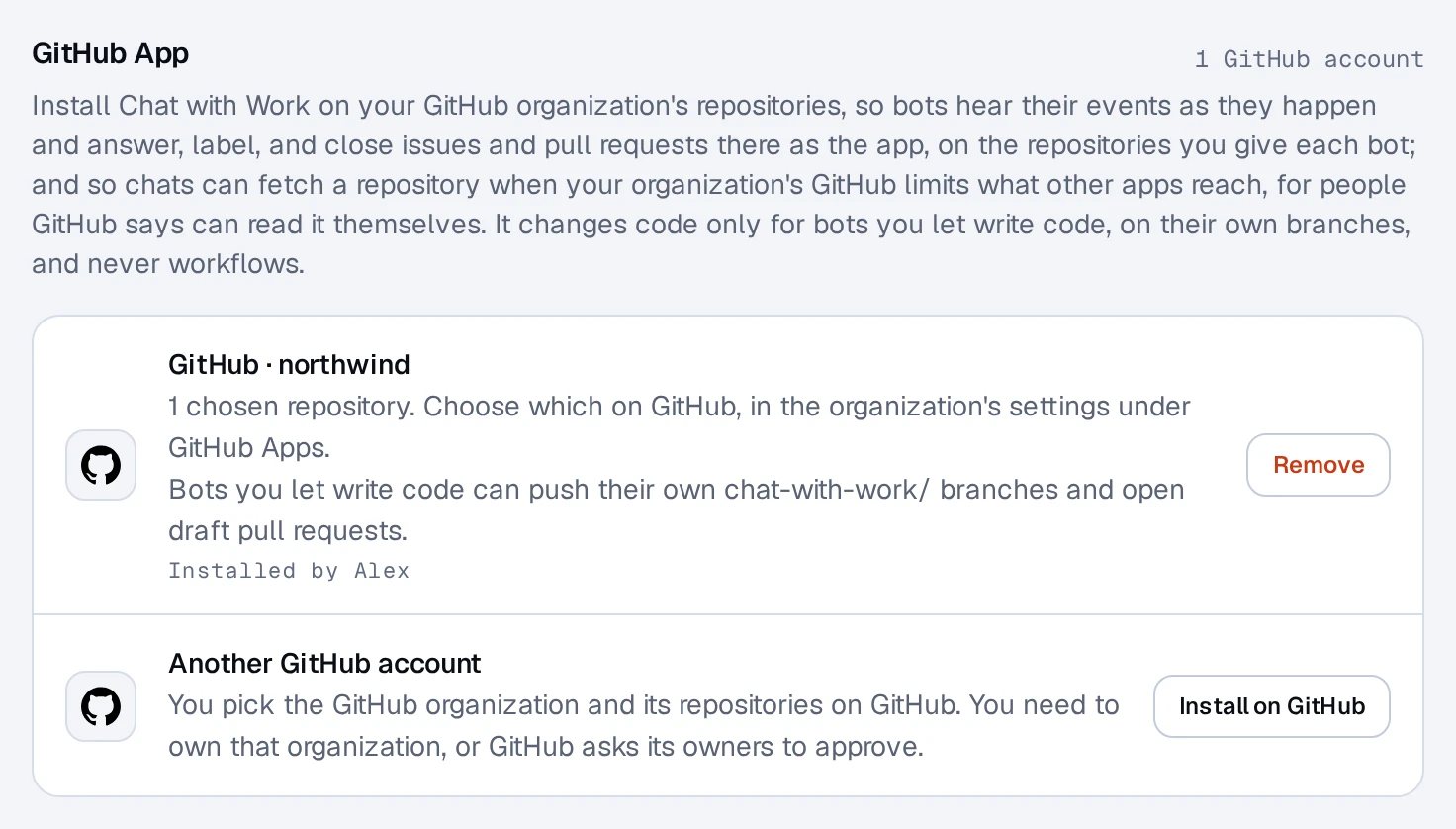
- GitHub: your notifications, or one repository's events, read with your GitHub connection about every minute. Where an owner or admin installed the Chat with Work GitHub App on the repository (Settings, Apps, GitHub App), GitHub sends its events the moment they happen instead, and only while you can read that repository on GitHub yourself.
- Mail in Outlook: new mail in a folder of your Outlook, through your Outlook connection.
- An agent: one of your chats' agents sends it a message, and the run's answer goes back to that agent. Each agent's messages share one conversation. Only your own chats' agents reach your bots, and a team bot only those of its handlers, from chats in its project.
- Mail to its address: an address of the trigger's own. Send or forward mail to it from your own address, or from a mailbox you connected. Mail from anyone else, or mail that fails its sender's DMARC check, is dropped. Mail your mailbox forwards by itself isn't taken yet, so forward it yourself.
- A conversation from outside, for a bot shared in a project: the bot's API, a Chatwoot inbox, Slack or Discord channels (mentions of the app, or every message there, as you choose; Discord channels are read every minute), or repositories on GitHub through the Chat with Work GitHub App, set up on its page. On GitHub, each issue or pull request is one conversation: new issues and pull requests, comments, reviews, pushes, or labels start or join it, as you choose, and the bot answers there as chat-with-work[bot]. Comments by bots, its own included, never start anything.
Each trigger says what to do when it fires. A time starts a new conversation each run; an event can start one per event, or keep a thread's events in one conversation. Filters keep the noise out before a run starts, for free: for example, only mail whose subject contains "invoice".
Integrations
What a bot works with: your integrations, MCP servers, Code (short code on our servers in the EU, without network), Notifications, Agents (it starts agents that work on a task by themselves, as the bot does, and messages them and other bots that listen to agents), and, for a bot on GitHub through the app, GitHub as the app: it reads code, issues, and pull requests in the repositories you gave it, and comments, labels, and closes issues there. If an owner or admin turns on Writes code for it, it can also make branches of its own (named chat-with-work/...), commit code to them, and open draft pull requests, each asking first; it never merges, and never touches another branch. Your organization accepts the app's permission to write contents on GitHub first. An integration added to a bot acts as the person who added it, with their own connection: only you can add yours, and you can remove it whenever you like. A routine you made before became a bot of yours that works with everything you connect.
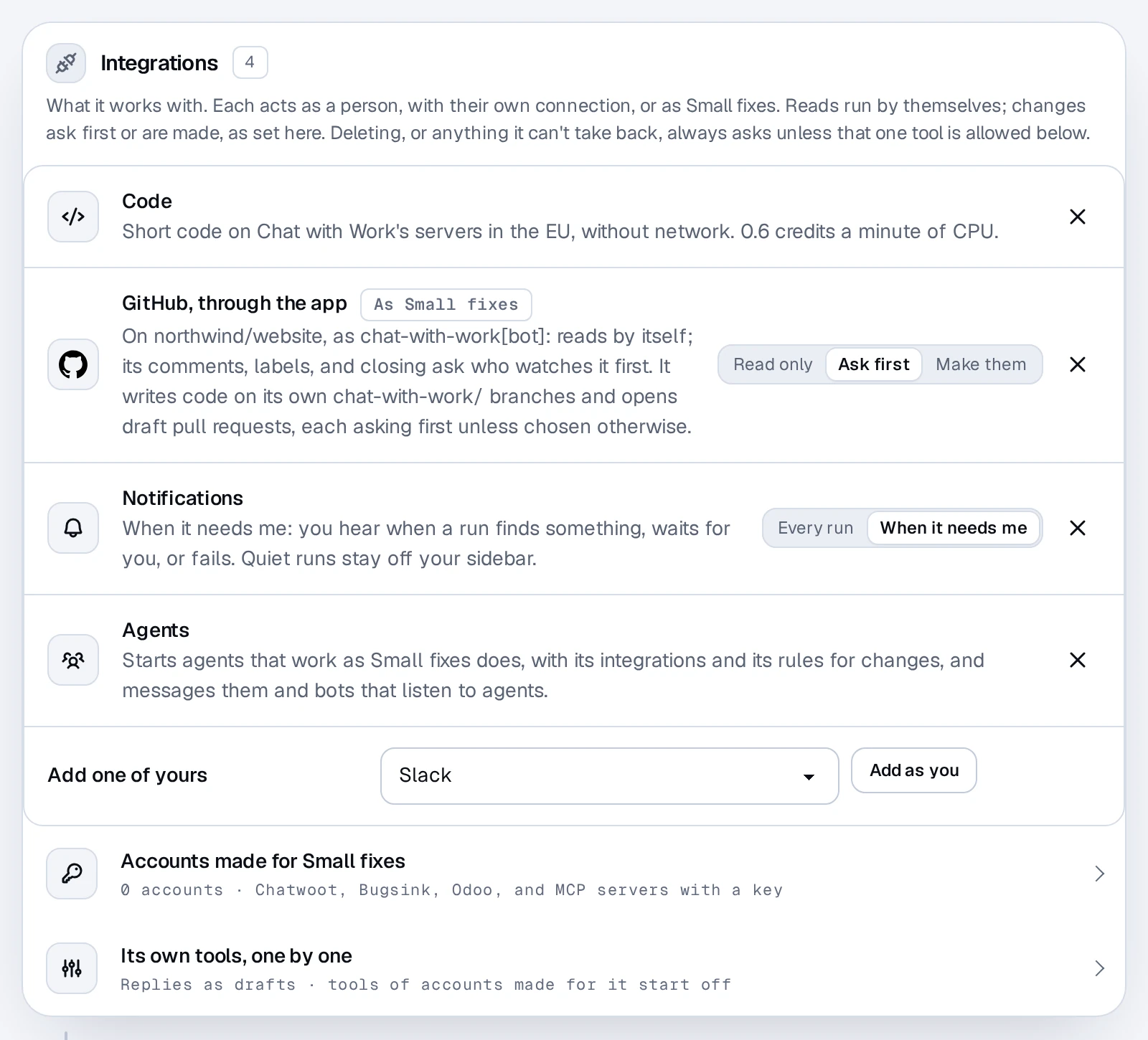
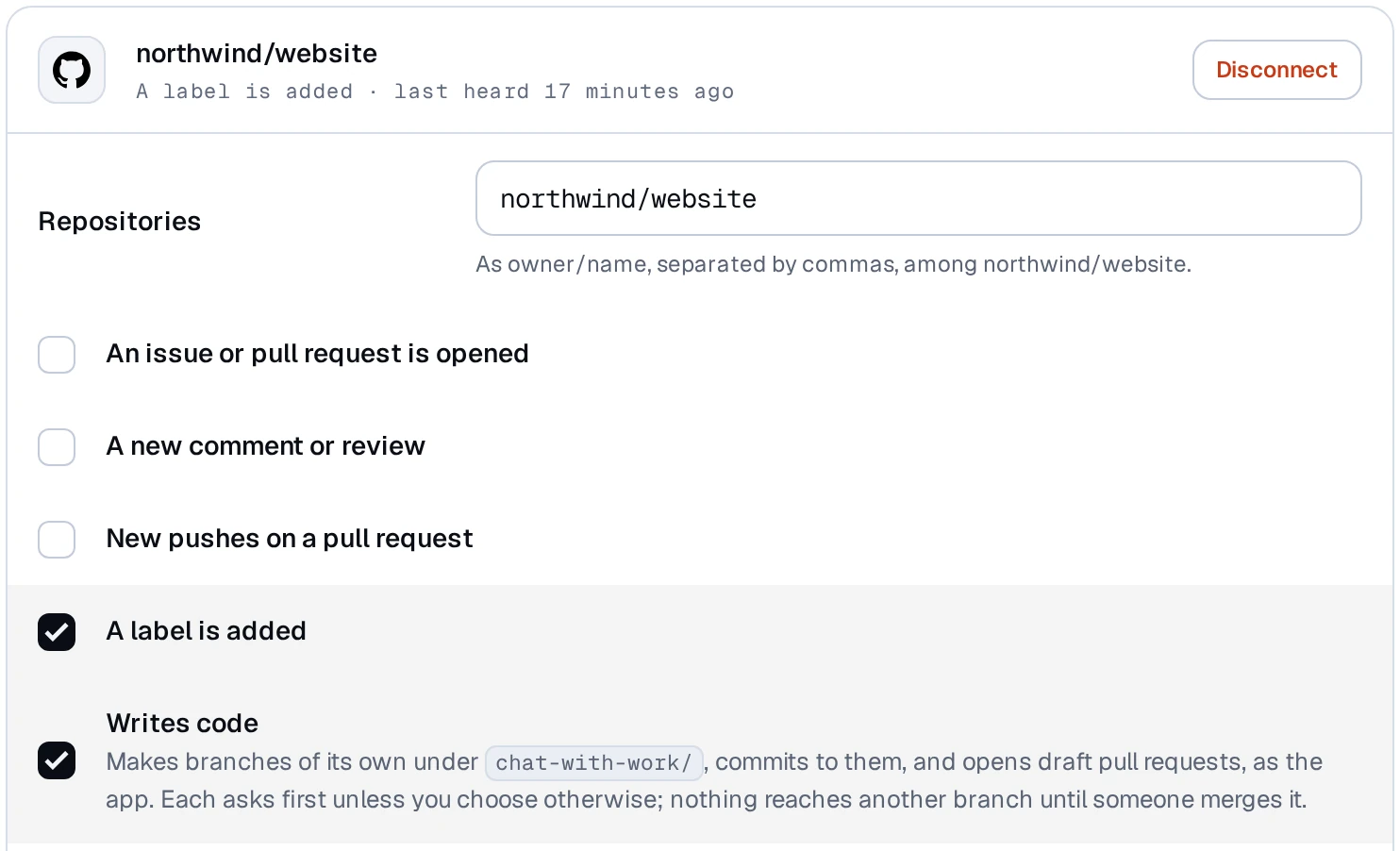
An owner or admin installs the Chat with Work GitHub App in Settings, Apps. The app writes code only for bots you set to Writes code.
Reads run by themselves. For changes, each integration says whether they ask first (the default) or are made without asking, even when an email or a webhook started the run. Deleting, or anything that can't be taken back, always asks unless you allow that one tool on the bot's page. Only the person an integration acts as can let its changes run without asking.
When it tells you
A bot's Notifications say when you hear of a run:
- When it needs me (the default): you hear when a run finds something worth your time, waits for your approval, or couldn't finish. Its instructions decide what counts ("tell me only if an invoice is more than 30 days overdue").
- Every run: you hear about every run's answer, like a morning report.
- Without Notifications, you hear nothing, and runs stay on the bot's page. If a trigger pauses itself, you still hear.
Runs that found nothing stay out of your sidebar. You'll find them on the bot's page, faint, with a hollow dot. Asking a follow-up in one brings it into your sidebar like any chat.
Notifications follow your choices in Settings ▸ Notifications. On your phone and by email they only say that a bot has something for you; your browser shows the run's one-line headline if you allow content there.
When it stops
A trigger pauses itself and tells you if it gets more events than it may run on (at most 20 runs an hour) for three hours in a row, if its runs keep setting it off, if its address gets many requests with a wrong signature, or if the connection it listens through stops working. Events about a change one of your own chats just made are ignored, so a bot doesn't set itself off. Resume it from its page once that's sorted.
Privacy
A bot of yours runs as you, in your organization, and reads only with the connections given to it. Events are kept encrypted for 30 days once they ran, and for 7 days when they didn't; the chats a bot starts stay until you delete them, like any chat. A shared bot's conversations with people outside are deleted with their chats after 12 months without a message. Mail to a trigger's address is received in Frankfurt and deleted from there once it's read.