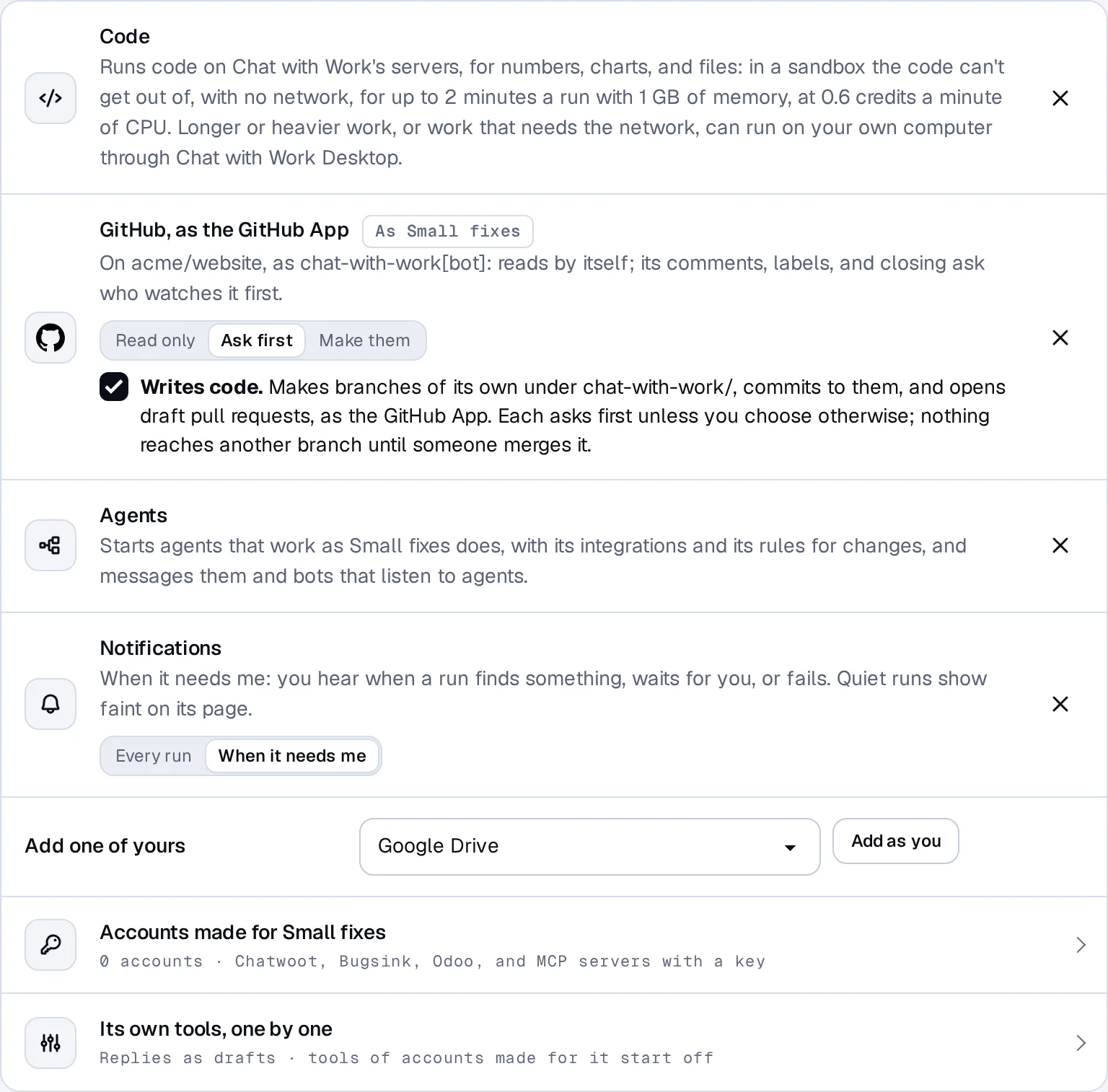
A bot works with what you give it under Uses: your integrations, MCP servers, Code, Web search, Notifications, Agents (it starts agents that work on a task by themselves, as the bot does, and messages them and other bots that listen to agents), one of your computers, and, for a bot on GitHub as the GitHub App, GitHub, as the GitHub App: it reads code, issues, and pull requests in the repositories you gave it, and comments, labels, and closes issues there. If an owner or admin turns on Writes code for it, under its GitHub row in Uses, it can also make branches of its own (named chat-with-work/...), commit code to them, and open draft pull requests, each asking first; it never merges, and never touches another branch. Your organization accepts the app's permission to write contents on GitHub first.
Web search lets it search the web with its model, once an owner or admin allows web search for the organization. Until then the bot keeps it, and Uses says so: an owner or admin can allow it right there, and anyone else is told to ask one. Its searches go to Google for Gemini models and to Bing for GPT models, outside the EU, at 1.4 credits each. On a model that can't search, its chats run on the closest one that can, which Uses names.
Code runs code on Chat with Work's servers, for numbers, charts, and files: in a sandbox with no network that reads only the chat's files, for up to 2 minutes a run with 1 GB of memory, at 0.6 credits a minute of CPU. For longer or heavier work, or work that needs the network, it can run code on your own computer through Chat with Work Desktop: under Uses, Use this computer lets a shared bot run code, read and write files in folders you choose on that computer. An integration added to a bot acts as the person who added it, with their own connection: only you can add yours, and you can remove it whenever you like.
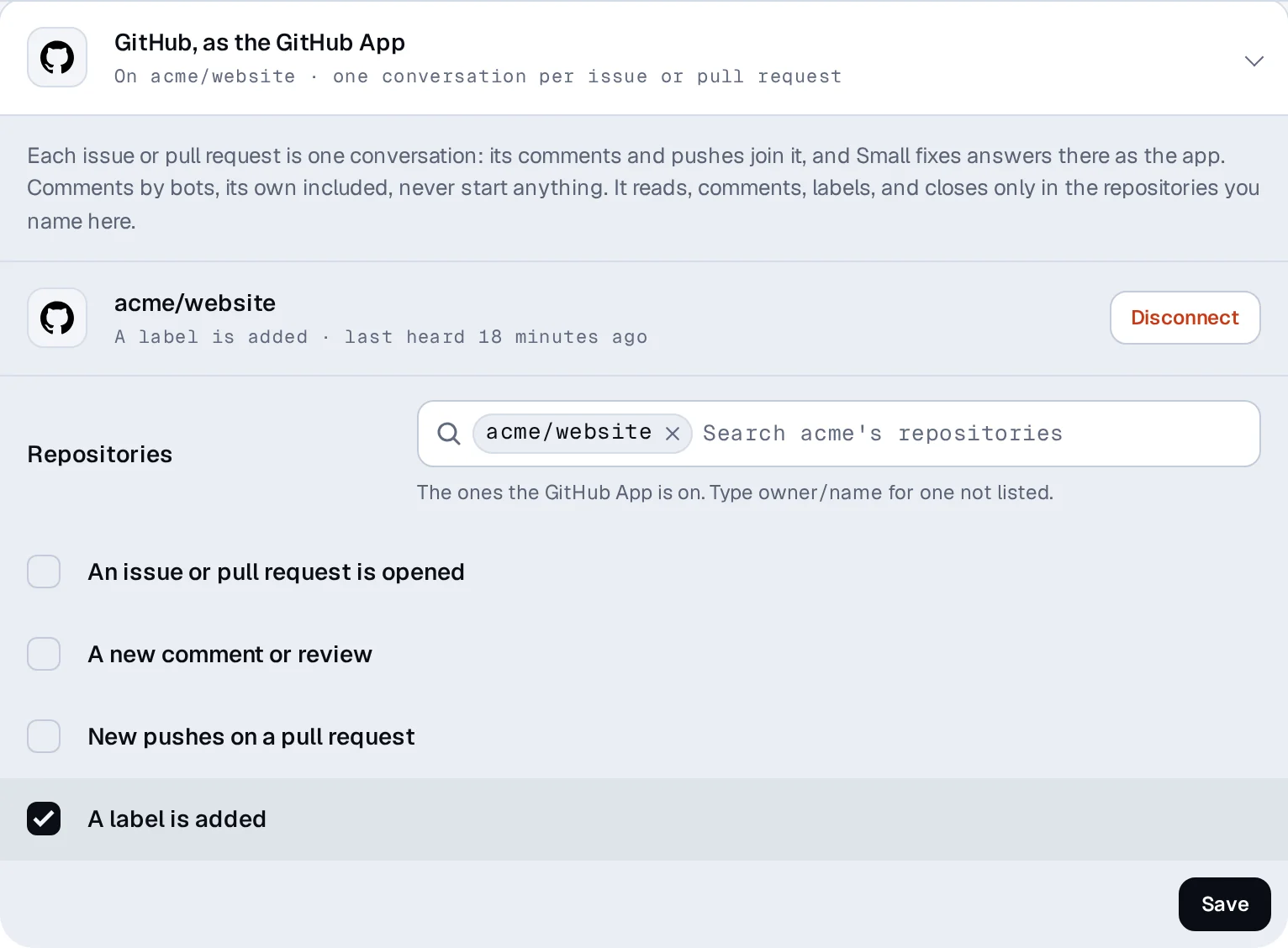
A bot that sorts issues and pull requests, like Maintainer triage, keeps its board on its page, with nothing to set up. To see it on GitHub instead, open the bot's Setup, then GitHub, and choose Use a GitHub project: pick a project from the list, with its owner, or create one. An empty project gets its columns, Priority, and Next step by itself, and yours stay. In a personal account, press Connect first, once, because GitHub keeps apps out of personal projects. Edits to an organization's project show as chat-with-work[bot], and to your own as you. If it can't reach the project the bot keeps working, and its page and an email say what to do. Discussions stay on its page.
An owner or admin installs the Chat with Work GitHub App in Settings, Apps. The app writes code only for bots you set to Writes code.
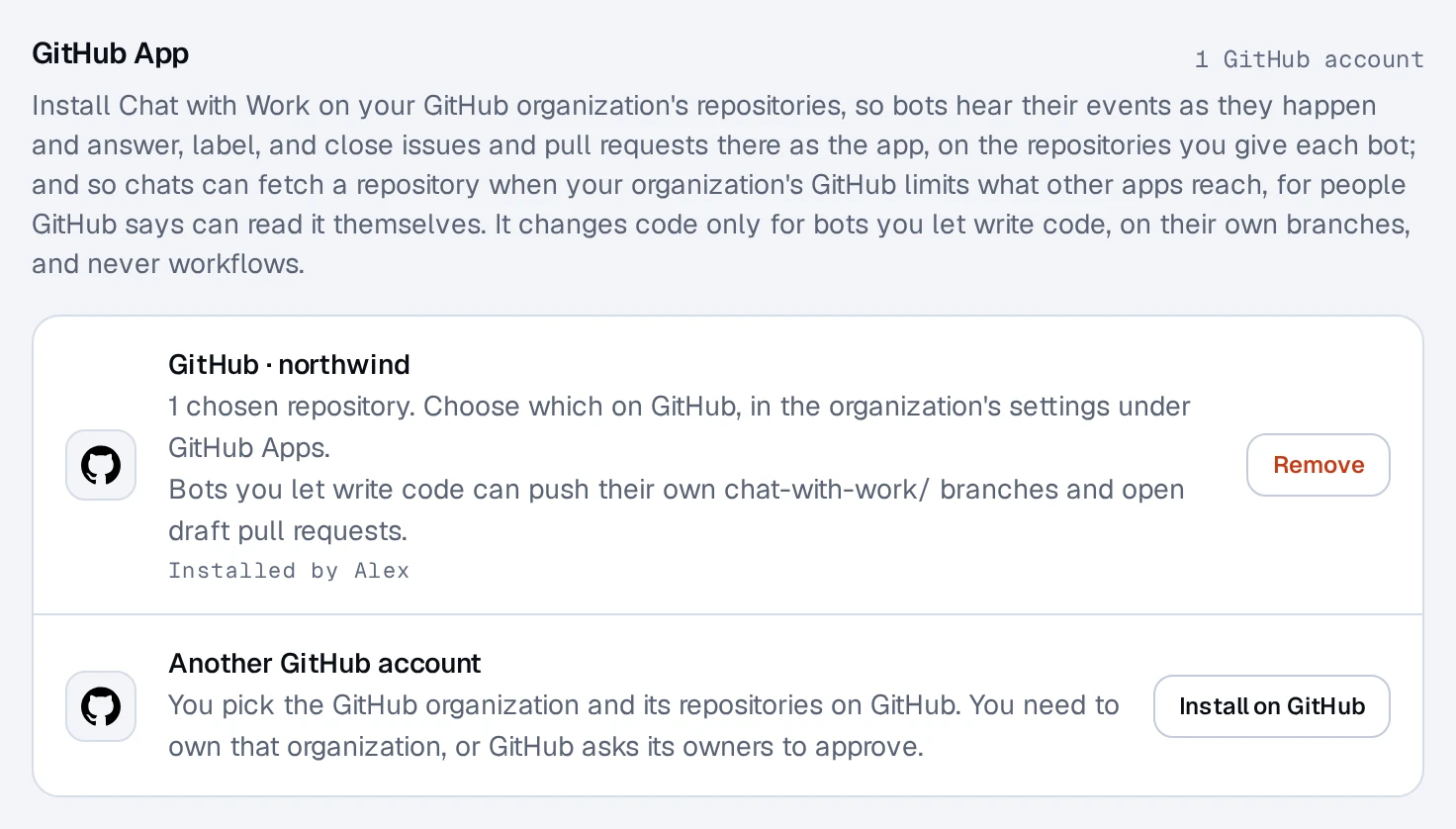
Only some of it. A service a bot uses as you can be kept to part of it: some GitHub repositories, Basecamp accounts or projects, or accounts of a service you connected twice. Pick them under Uses; it's All until you do, and nothing else is in its reach. Its card says how much: "GitHub · 2 repositories". Others can take things off; only you add more.
Reads run by themselves. For changes, each integration says whether they Ask first (the default) or Allow edits, which makes them without asking, even when an email or a webhook started the run. Deleting, or anything that can't be taken back, always asks unless you allow that one tool on the bot's page. Only the person an integration acts as can let its changes run without asking.
A bot that fixes code on your computer needs one yes. When it lacks something it asks with a card, Set up on your computer: Chat with Work Desktop checks your coding agent (Claude Code, Codex, OpenCode, Gemini CLI, or pi; Codex and OpenCode not on Mac yet) is signed in, and your Git login reaches the repository, and asks once. The first run on each repository copies it, installs its tools, and runs its tests by itself, in the sandbox. It codes with your own subscription or API key: credits pay only for the bot's own model.
Permissions, under Uses on a bot's Setup, is the one list of what it may do without you. For a bot that answers people from outside, Replies comes first: Ask first makes each reply a draft you approve, and may edit, before it goes; Allow sends replies at once. Then each tool, Off, Ask first, or Allow, including any you allowed with Always allow for on one of its cards, and any folders on your computers where it may run commands without asking. Change any of them there.
If a run needs a service the bot wasn't given, it asks on a card in Decisions, naming the service and why. Only the person whose connection it would use decides, and it keeps the service until someone removes it from Uses. If nobody has connected it, you're offered Connect instead.