What a credit is
Credits are the only unit. One credit is one US cent of what the model costs us, so bigger models use more per answer. The model picker shows about how many credits an answer takes on each model before you ask. A web search, when turned on, adds 1.4 credits.
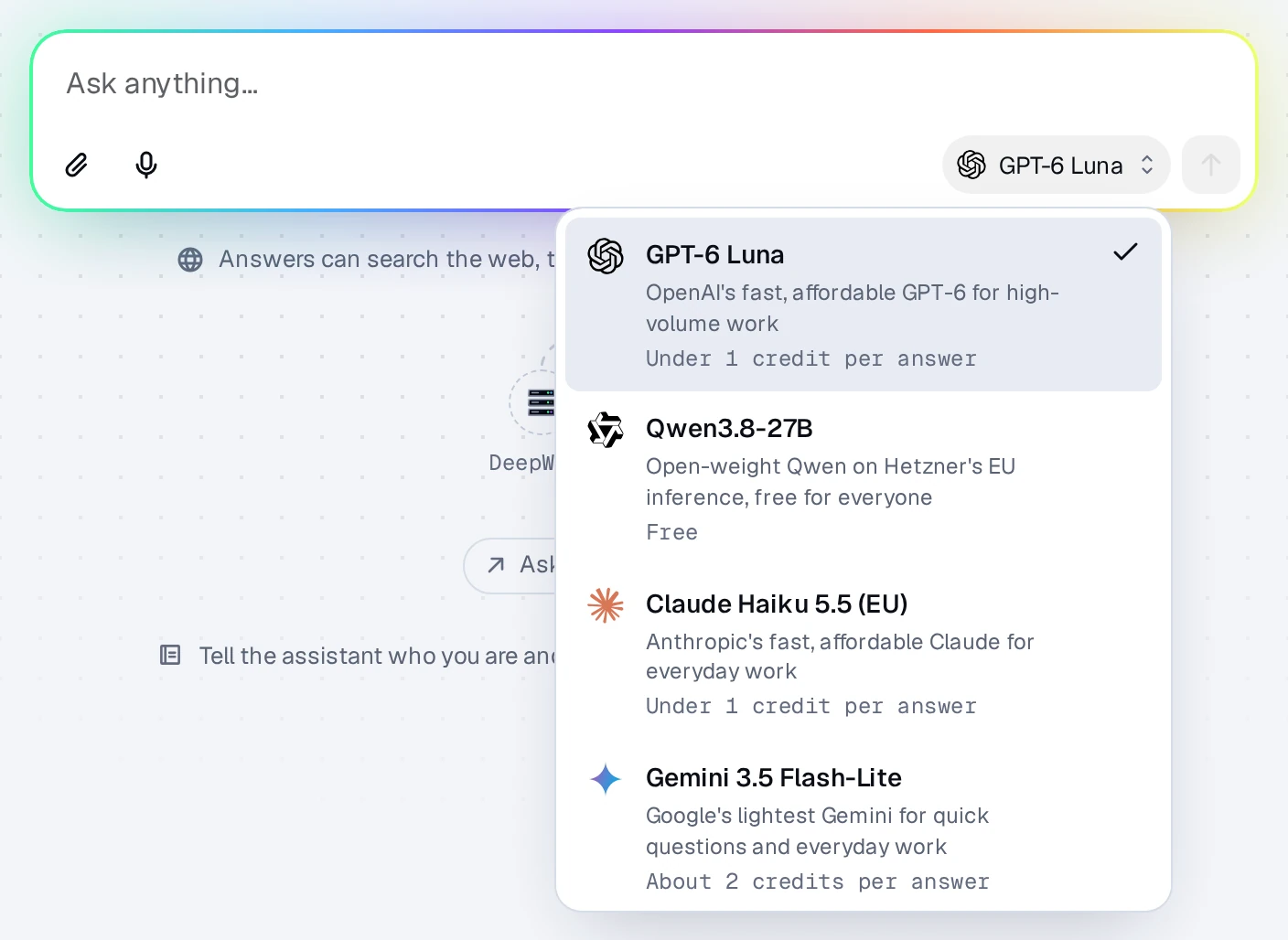
Every plan includes every model, every connector, and your MCP servers. Plans differ only in how many credits they bring each month.
Free answers
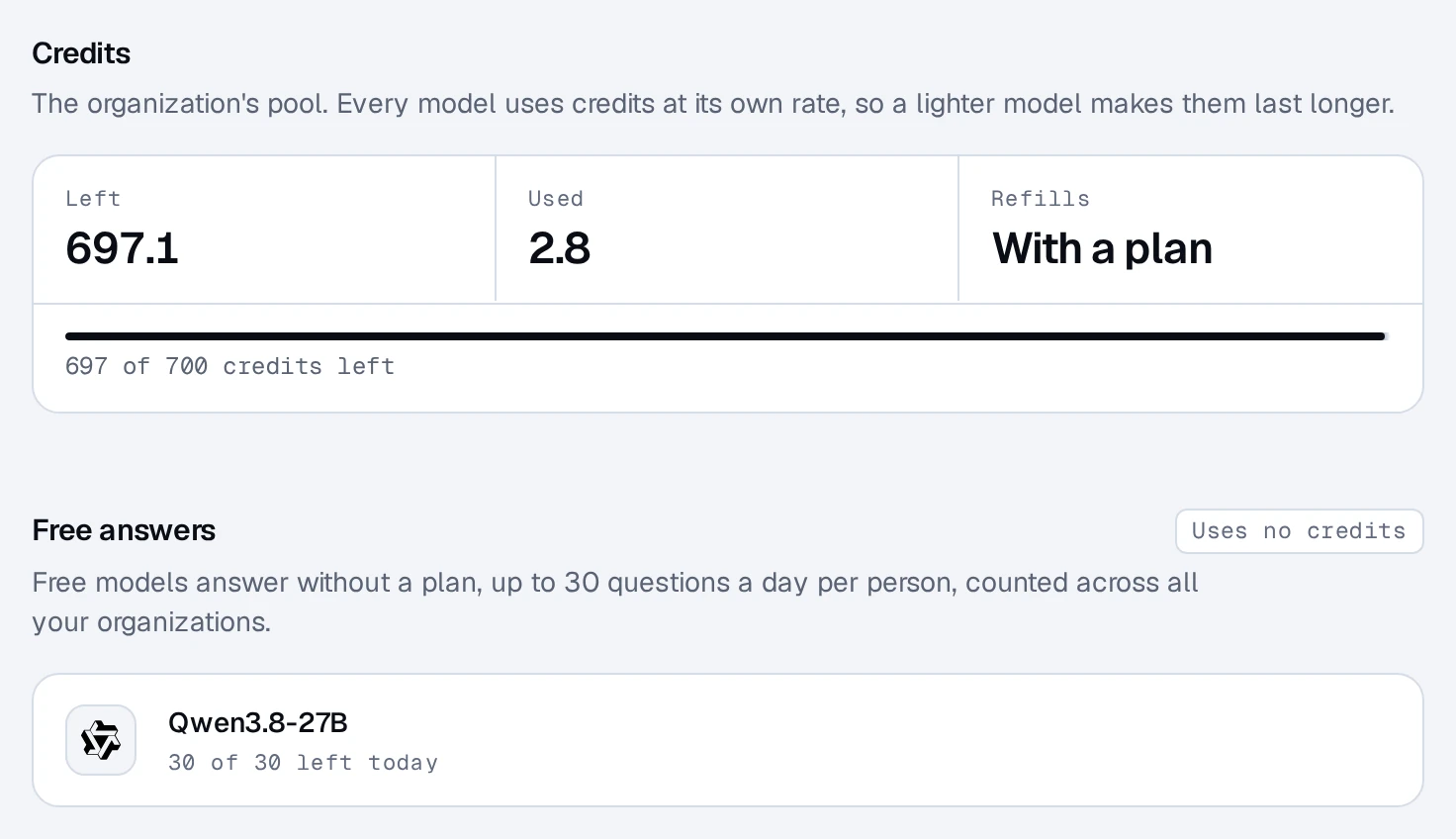
Free models answer 30 questions a day per person, with no plan, no card, and no credits. The count is per login, across all your organizations, and resets at midnight in your time zone. Settings shows how many you have left today.
Trial credits
Each login gets 300 trial credits once, in the first organization it starts. They don't expire and never refill. Starting another organization doesn't bring more.
Plans
Each organization pays for itself, so company chats never spend anyone's personal credits. A year costs ten months.
| Plan | Credits a month | Monthly price |
|---|---|---|
| Personal | 900 | €20, VAT included |
| Personal Pro | 4,500 | €100, VAT included |
| Personal Max | 9,000 | €200, VAT included |
| Team | 900 per person | €25 per person, plus VAT |
| Team Pro | 4,500 per person | €125 per person, plus VAT |
| Team Max | 9,000 per person | €250 per person, plus VAT |
- Personal is for an organization of one.
- Team is priced per person (owners, admins, and members). Everyone's credits go into one pool for the organization. Guests are free.
Credits refill every month, on yearly plans too. chatwithwork.com/pricing shows which plans are on sale right now.
Top-ups
A top-up adds 400 credits for €10 (VAT included), on any plan or none. Top-up credits last 12 months and are spent after the month's plan credits. Owners and admins add them in Settings ▸ Billing with Add credits.
When credits run out
The answer stops. You're never billed for more than you have. Top up, wait for next month's credits, or switch to a free model.
Monthly limits per person
Owners and admins see each person's spend in Settings ▸ Billing ▸ Spend by person, as amounts only, never what anyone asked. They can set a monthly credit limit for each person there, so one person can't use up everyone's credits. Members see their own spend, their limit, and the organization's balance in Settings ▸ Usage.
Only owners and admins manage the plan, checkout, and billing details.
Questions about billing? Click the chat bubble in the corner of the app, or write to support@chatwithwork.com.